FlexMixer is cartwall and radio playback software — a professional jingle player and broadcast audio solution for radio, podcasters, theatre and events. One press — the software does the rest.
FlexMixer is the cartwall software that combines radio playback, jingle player, podcast audio and broadcast audio in one interface. With MIDI and WebSocket integration for mixers like the D&R Airlite MK2 and playout software like RadioDJ.
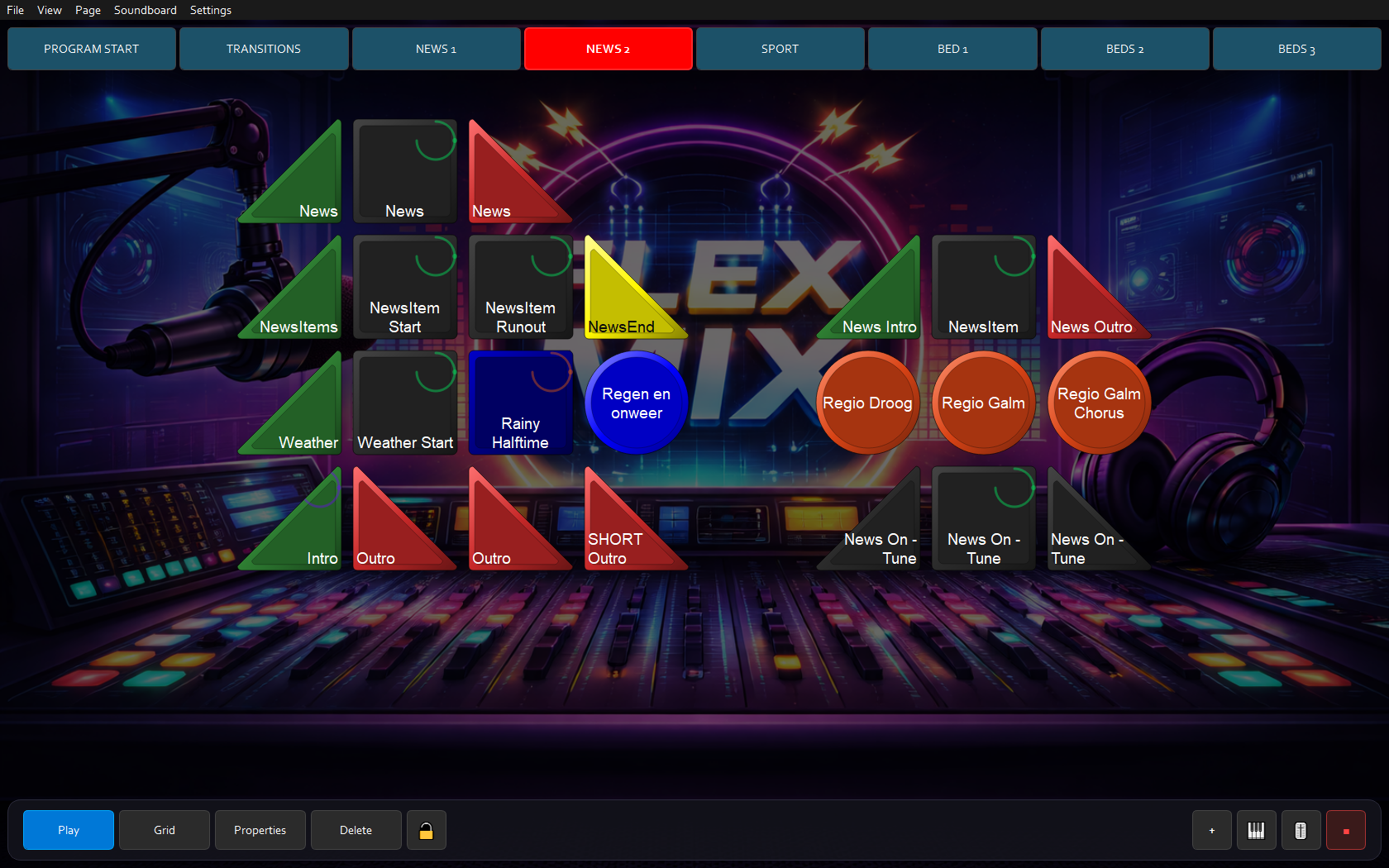
Visual buttons in a customisable grid. Each page has its own set of audio — intros, music, jingles, stabs, text overlays, MIDI triggers and WebSocket commands. Everything at a glance.
A chain is a sequence of intro, audio and outro buttons that follow each other automatically. If a button has a loop cue it repeats endlessly until the user presses another audio button. After an outro the chain stops. One press — FlexMixer does the rest.
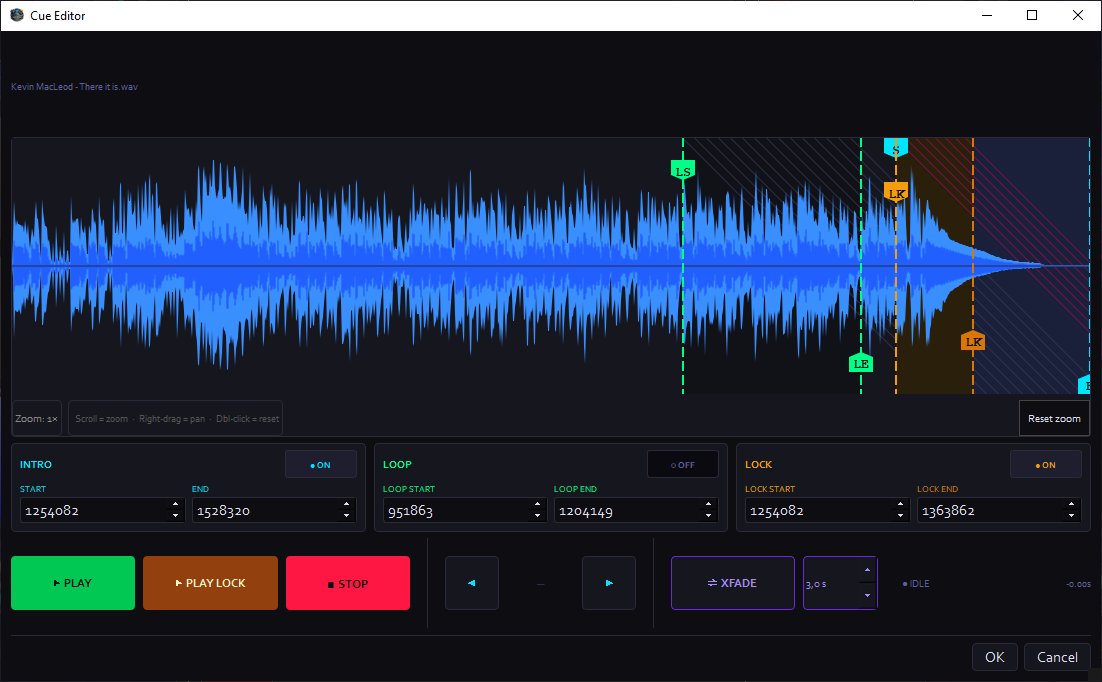
Visual waveform editor with configurable intro, loop and lock markers. A bounce preview lets you hear the transition from intro to loop — or loop end to loop start — to set the perfect cue point.
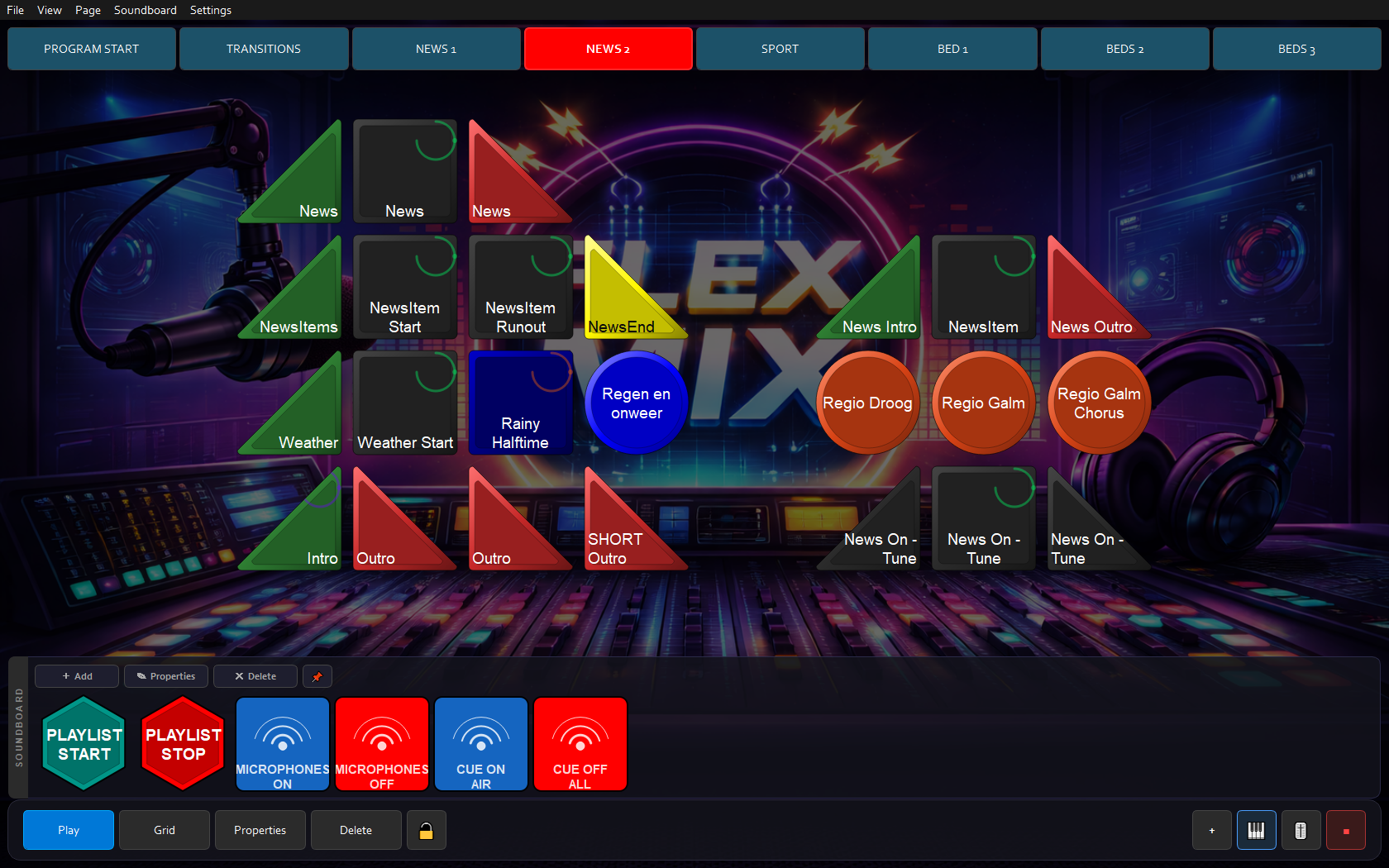
The soundboard is completely independent of pages and always available. It can hold all button types that also appear on the grid. Drop buttons play over the chain without interrupting it — perfect for jingles and stabs.
Organise audio across themed pages — news, music, sport, ads. Switch in one click. An indicator always shows where audio is playing.
Save pages as standalone files and share them with colleagues. Import a page directly into a live session — no restart needed.
Connect external controllers for hands-free operation. Full mapping capabilities for any controller.
Send commands to external systems — studio software, lighting control, automation — directly from FlexMixer.
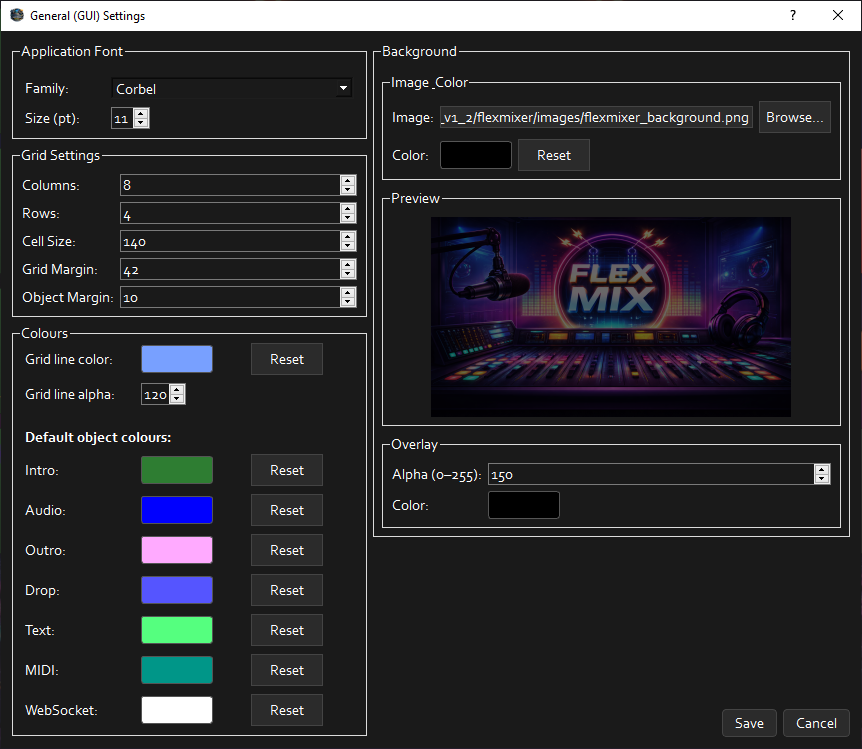
Colours, fonts, cell size and default object colours fully customisable. Background configurable as colour or image with transparency.
A radio presenter or podcaster knows what is planned — but reality is different. As cartwall and broadcast audio software, FlexMixer must simply work at that moment. No time to search, scroll or think about software.
FlexMixer is built for exactly those moments. Via MIDI and rtpMIDI, FlexMixer controls playout software like RadioDJ on a separate computer. Via WebSocket it operates mixers like the D&R Airlite MK2 — microphones on/off, CUE-AIR activation — all from one interface.
Start the intro — the loop takes over automatically. No need to watch the clock.
Move to another item without interrupting the current audio. Seamless, always.
Drops are perfect for jingles and stabs — they play over the chain without interrupting it.
Jump to another page with a completely different playlist. The previous audio keeps playing.
Adjust cue points live if a segment needs to run shorter or longer. No restart needed.
Click an image to view it full size.
All audio buttons per page, with the soundboard always available at the bottom.
Multiple pages instantly accessible via the page bar at the top.
Visual waveform editor with intro, loop and lock markers and bounce preview.
Font, grid, colours per button type and background with transparency.
Have you used FlexMixer? Leave a review. Your email address will not be shown.
The complete user manual — read online or download as PDF. Available in Dutch and English.
Short demonstrations of the key features — with audio.
A brief overview of the FlexMixer interface — the page bar, grid, soundboard and toolbar.
See how an intro automatically transitions to a loop, and how an outro closes the chain cleanly.
How drop buttons play over the current chain without interrupting it.
Setting intro, loop and lock markers. The bounce preview for the intro-to-loop transition.
Lightning-fast page switching during a live broadcast.
Audio and drop buttons on the soundboard in action.
How FlexMixer works optimally with a touchscreen — ideal for presenters who want to work without a mouse during a live broadcast.
FlexMixer controls a D&R Airlite MK2 mixer via WebSocket objects. Objects switch microphones on or off, activate the CUE-AIR and mute all CUEs.
FlexMixer on a touchscreen works together with RadioDJ on a separate computer. MIDI objects control RadioDJ via rtpMIDI over the network — two systems, one workflow.
Download the trial and discover FlexMixer risk-free. Then choose the licence that suits you.
Download the free trial — 7 days, max 30 minutes per session. No credit card needed.
Found a bug, have a feature idea, or want to use FlexMixer in a professional setting? Send us a message or follow us on Instagram.